

Pi App Studio now features a new capability that lets creators both download their app’s code and upload custom code, alongside a series of updates that improve the overall creator and user experience. The App Studio remains a product focused on facilitating non-technical people to create, deploy, and run online apps. However, such new functionality offers an option and flexibility for modifying apps on the code level.
This update also makes the App Studio more useful for technical developers, who can use Pi App Studio to rapidly prototype apps and then continue developing on top of those prototypes. Since the App Studio makes Pi integration and app deployment simple, developers can save time and focus on building their actual products.
Pi App Studio also introduced other features to make app creation more organized, accessible, and intuitive. These include a new management interface, new options for app management, “My Apps” page improvements, general user experience updates, and more.
This is part of a continuing effort to empower Pioneers and developers with AI-assisted tools to build apps and utilities within the Pi ecosystem.
Downloading and uploading code
The new code download/upload capability marks a step forward for Pi App Studio in bridging creator and developer experiences. Creators can download the source code of the apps they created through Pi App Studio, make edits locally, and then re-upload the customized version directly back into the App Studio. Creators can then continue to make further revisions again using the App Studio. This opens up deeper creative control—whether it’s refining functionality, personalizing the user interface, or anything else.
This flexibility allows for hybrid development workflows: creators can use Pi App Studio’s built-in tools to create apps without being technical, and then work in other development environments to revise them, if they invite other technical collaborators to join or learn how to code themselves. For instance, a creator can create an app through Pi App Studio, export the code to fine-tune a specific feature or add specific designs that can be developed outside of the App Studio, and then re-upload the supplemented version back to Pi App Studio to continue their creation in a non-technical way—all while maintaining compatibility with the Pi ecosystem.
The code download/upload option also expands the usefulness of Pi App Studio to technical developers. Developers can use the App Studio to create a prototype app and export the code outside the App Studio to continue further development. They can also upload existing code of an app with certain compatibility requirements into the App Studio to benefit from the App Studio’s capability, and simplicity of integration and Pi app deployments into the Pi ecosystem. Both routes would allow developers to focus their time on building their product rather than logistics—speeding up the overall development and deployment pace of Pi apps in the ecosystem.
Together, these features bring Pi App Studio closer to a versatile Pi app creation and development platform, empowering Pioneers and developers to scale up app creation and deployments, in a way that moves beyond templates, and create custom utilities they envision that integrate seamlessly across the Pi ecosystem.
Watch the feature’s demo to see how it works:
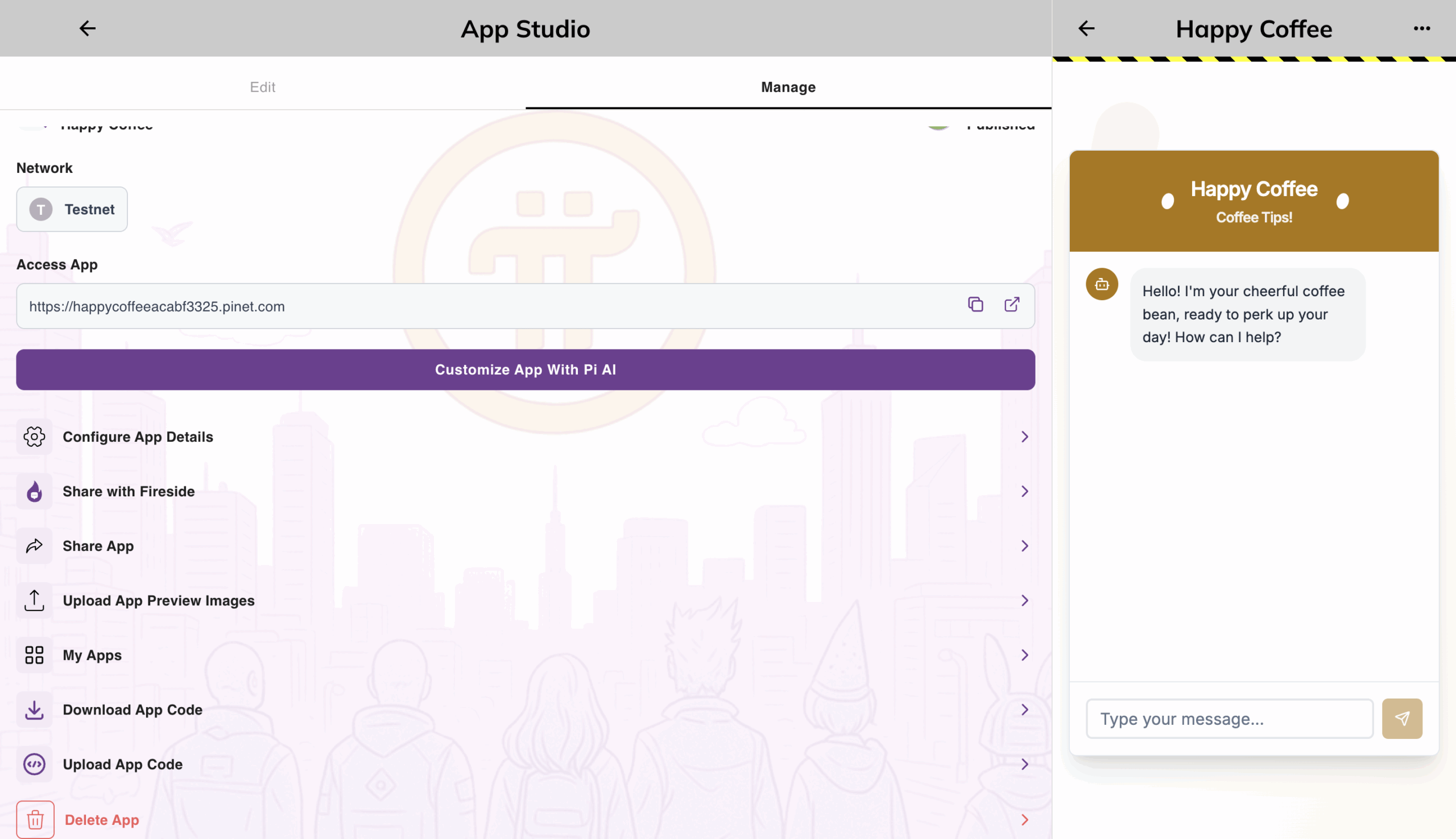
Management interface for apps
Creators can access a management page for their individual apps. This includes general app editing and sharing options, in addition to new features such as allowing creators to:
- Upload preview images for the app’s description in the Ecosystem Interface in the Pi Browser or PiNet, helping creators to better showcase their apps and attract more users;
- Share a link to their apps, with the app’s logo as the thumbnail, in the Fireside Forum Pi App Studio channel. This helps promote their apps’ presence within the community for user adoption; and
- Delete the app, which was previously not an option for creators, allowing them to keep their creator interface clean, organized, and up to date.
My Apps page improvements
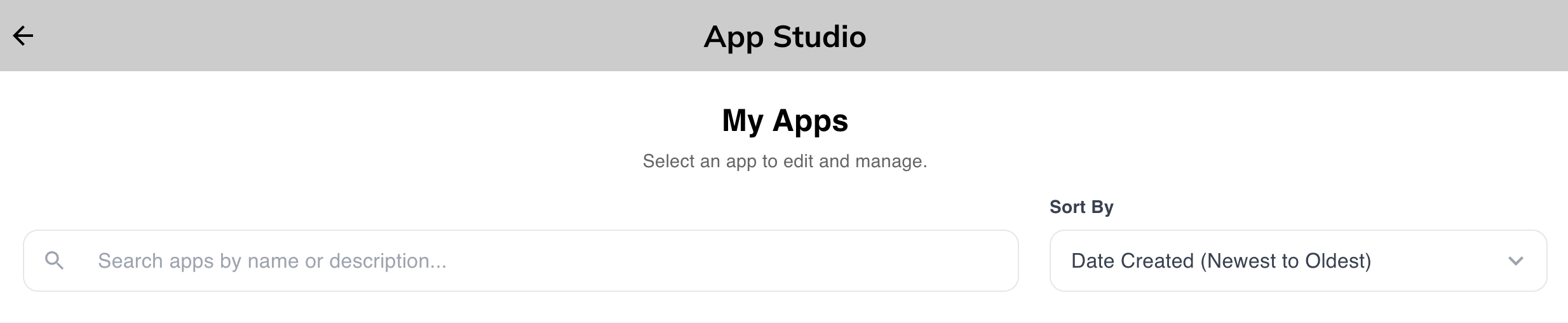
The My Apps page now includes sorting and searching options, helping creators to easily locate and manage apps as they create more projects.
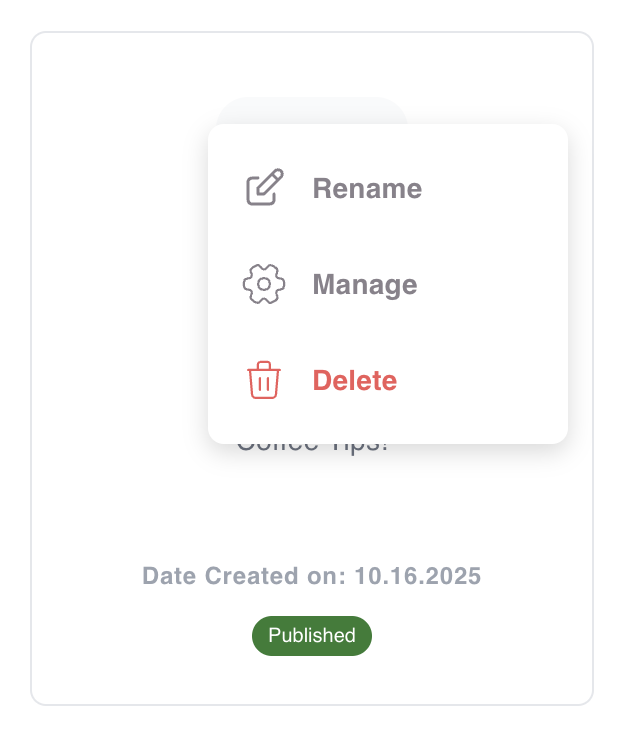
Apps in the My Apps page have a dropdown menu that allows creators to rename, manage, or delete the app.
General Updates
- Creators can choose how much Pi to add (up to 100 Pi) for use in Pi App Studio. This improves the creation experience since previously only 1 Pi could be loaded at a time.
- The app creation limit has been increased to 100 from 10, allowing for more iterations, creativity, and diverse utilities.
- Overall UI and UX improvements improved the App Studio’s design, interfaces, and user experience. For example, creators can now correctly edit chatbots after customizing the app with Pi AI, which was previously disabled.
Create and Use Pi App Studio apps!
Pioneers are encouraged to create apps through Pi App Studio, which can be accessed in the Pi Browser or Pi Desktop app. With guided workflows for AI-assisted app creation and the new code download/upload feature, creators of any technical level can utilize the App Studio to build and deploy real apps and products in the Pi ecosystem. To explore App Studio apps already deployed by the community, Pioneers can go to the Pi Apps tab in the Pi Browser and tap the App Studio button.